
User Interface
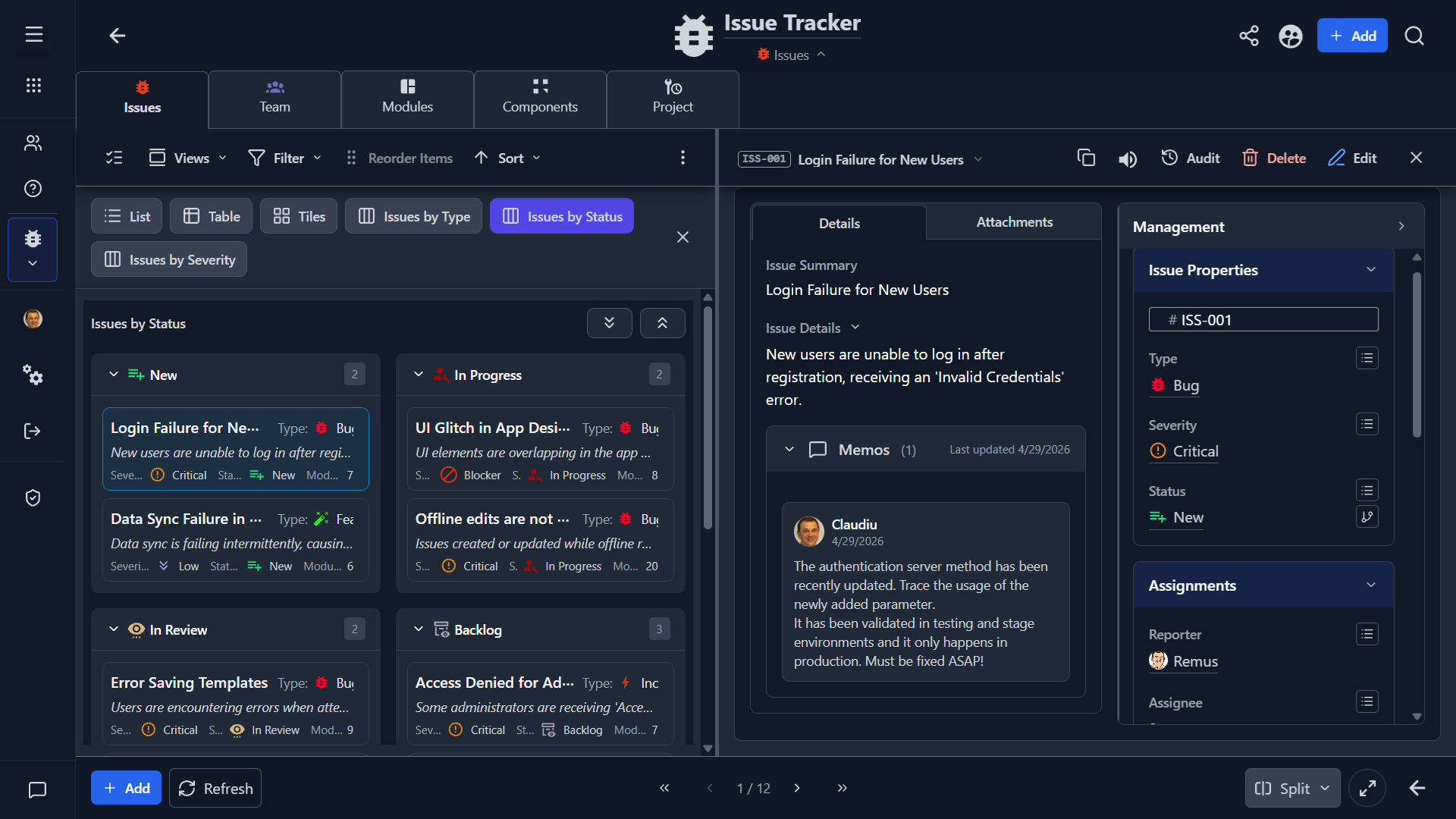
Explore more screenshots...
What This Template Is For
The Issue Tracker template is a structured workflow app for bugs, incidents, tasks, feature requests, and other tracked work items.
It is designed for teams or individuals who need more discipline than a simple task list.
Core Structure
The template includes fields for both issue content and operational tracking, including:
- Code
- Issue Summary
- Issue Details
- Type
- Severity
- Status
- Module, Component, and Part / Subcomponent
- Reporter, Assignee, Supervisor, and Watcher
- Memos
- Images, files, and annotated screenshots
This makes it suitable for both product work and support-style issue handling.
Included Views
List and Table
Use these views for triage, backlog review, and operational sorting.
Tiles
Use Tiles for a more visual scan of current issues.
Kanban Boards
The template includes board-style views for grouping issues by type, status, and severity.
Management Views
Saved views such as unassigned items, critical issues, and assigned-to-me slices help with day-to-day prioritization.
When To Use It
Use this template when you need:
- explicit workflow states
- responsibility assignment
- severity or priority tracking
- supporting screenshots or files
- issue categorization across modules or components
Recommended Workflow
- Create the issue with a concise summary.
- Record details needed for reproduction or clarification.
- Set type, severity, and status immediately.
- Assign ownership.
- Attach images, files, or annotated screenshots when useful.
- Review backlog and unassigned queues regularly.
Good Practices
- Keep status values meaningful and current.
- Separate severity from status.
- Use summaries that explain the actual problem, not only the symptom.
- Attach evidence early to reduce back-and-forth.
Summary
Choose the Issue Tracker template when you need a more complete operational workflow for defects, requests, and managed work items.